rig.jiggle
Adds spring dynamics to a joint chain.
This modifier creates automated secondary motion by simulating inertia, stiffness, and attenuation. It is ideal for adding life to appendages like tails, ears, antennas, or loose clothing parts without the need for manual keyframing.
The Maya evaluation of this dynamic solver requires Bifrost 2.1 minimum (2.2+ recommended).
Usage
To work properly, the result of the dynamics must be connected to a child of the controller. The rig.jiggle modifier connects the dynamics to this specific child node (parameter dyn), which uses an aim constraint to look at a target node.
Chaining Rules
- Targeting the Chain: When setting up a chain of jiggles, the
targetfor a given joint is typically the next root joint in the hierarchy. - Handling the Tip: Be careful with the last joint of your chain. Since it doesn't have a subsequent root to aim at, you must target the template's tip object (e.g.,
bone::hooks.tip). - Attribute Delegation: By default, all activation and tuning attributes are added to the main
ctrl. However, you can split this logic by assigning the activation to actrl_mainand the dynamic settings (goal, damp) to actrl_dyn.
Template Integration
While the modifier can be used on any custom rig, it is designed to work seamlessly with Mikan's default joint chain templates (core.bones, core.joints, rig.spline).
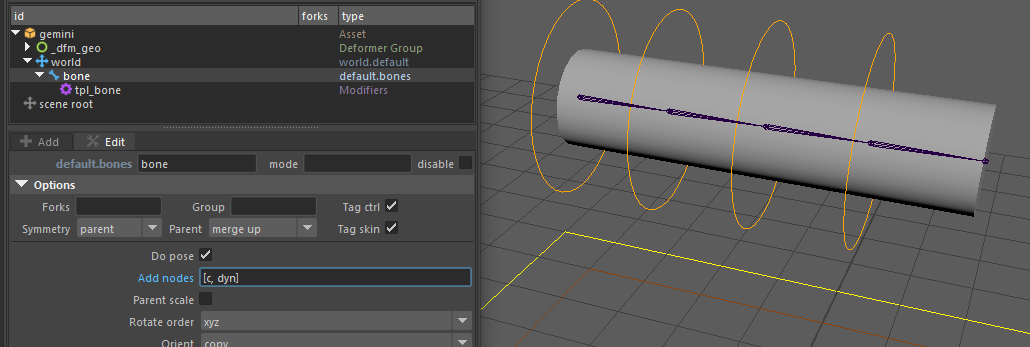
To save time, use the Add nodes option in your template configuration and set its value to [c, dyn]. This will automatically create a transform/joint directly parented under the controller, perfectly set up to be used as your dyn node.
Parameters
Core Parameters
| Parameter | Type | Default | Description |
|---|---|---|---|
ctrl | id | The controller that drives the joint and activates the dynamics. | |
dyn | id | The child node where the actual dynamics will be connected and evaluated. | |
target | id | The node determining the target position for the spring's aim constraint. | |
name | str | optional | Base name used for the generated IDs and rig components. |
Controller Mapping
| Parameter | Type | Default | Description |
|---|---|---|---|
ctrl_main | id | ctrl | The controller where the activation attributes will be added. |
ctrl_dyn | id | ctrl | The controller where the dynamic tuning attributes (goal, damp) will be added. |
Dynamics Settings
| Parameter | Type | Default | Description |
|---|---|---|---|
start_frame | int | 1 | The frame at which the dynamics are initialized. |
weight | float | 1.0 | Weight of the spring constraint on the final result. Use this to blend between full dynamics and none. Range: 0 to 1. |
goal | float | 0.5 | Stiffness of the spring. Closer to 1.0 = faster snap to target. Range: 0 to 1. |
damp | float | 0.5 | Attenuation of the spring's inertia. Closer to 1.0 = less bounce. Range: 0 to 1. |
Examples
You can explore a ready-to-use example of this modifier. Download the mod_jiggle.ma demo scene from our Google Drive folder.
Bone Chain Setup
Adding default jiggle dynamics to a bone chain using the core.bones template. Notice how the targets shift to the next root, and the final joint targets the tip.
# Bone 0
rig.jiggle:
  ctrl_main: bone::ctrls.0
  ctrl: bone::ctrls.0
  target: bone::roots.1
  dyn: chain::dyns.0

# Bone 1
rig.jiggle:
  ctrl_main: bone::ctrls.0
  ctrl: bone::ctrls.1
  target: bone::roots.2
  dyn: chain::dyns.1

# Bone 2
rig.jiggle:
  ctrl_main: bone::ctrls.0
  ctrl: bone::ctrls.2
  target: bone::roots.3
  dyn: chain::dyns.2

# Bone 3 (Tip)
rig.jiggle:
  ctrl_main: bone::ctrls.0
  ctrl: bone::ctrls.3
  target: bone::hooks.tip
  dyn: chain::dyns.3
Tuning the Dynamics
With the With the setup above, dynamics are evaluated using the default values (goal: 0.5, damp: 0.5). To dial in the look you want, adjust these two parameters:
goal(Stiffness): Controls the rigidity of the spring. The closer to1.0, the faster the spring snaps back to its target.damp(Attenuation): Controls the loss of inertia. The closer to1.0, the less the spring will bounce and oscillate.
As a rule of thumb: a low goal + low damp gives a slow, floppy, oscillating spring. A high goal + high damp gives a rigid, snappy motion with no overshoot.
Use weight to blend between full spring dynamics (1.0) and no dynamics (0.0). This is useful for making the effect toggleable or partially active on specific joints.
Below is a comparison of goal and damp combinations applied to the same chain:
| Goal: 0.2 | Goal: 0.5 | Goal: 0.8 | |
|---|---|---|---|
| Damp: 0.5 | 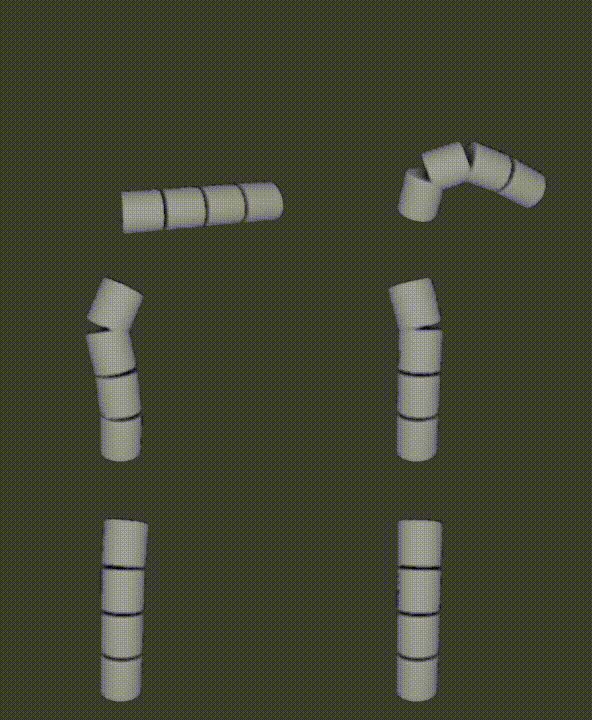 | 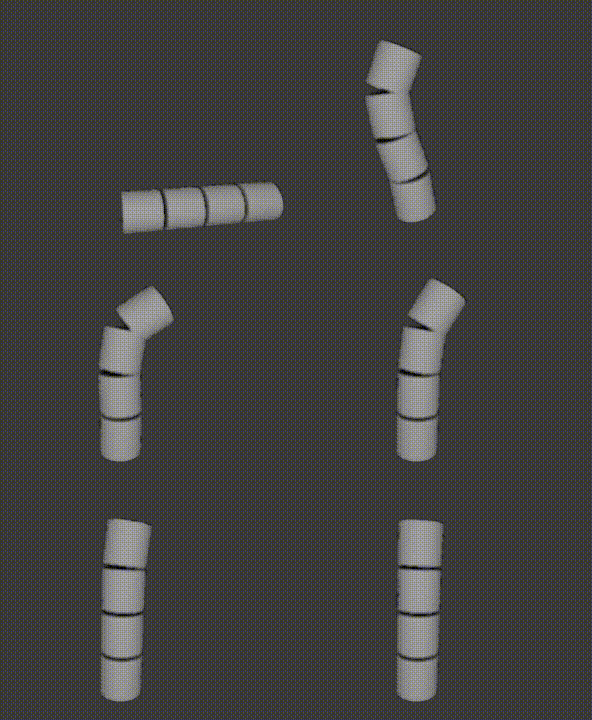 | 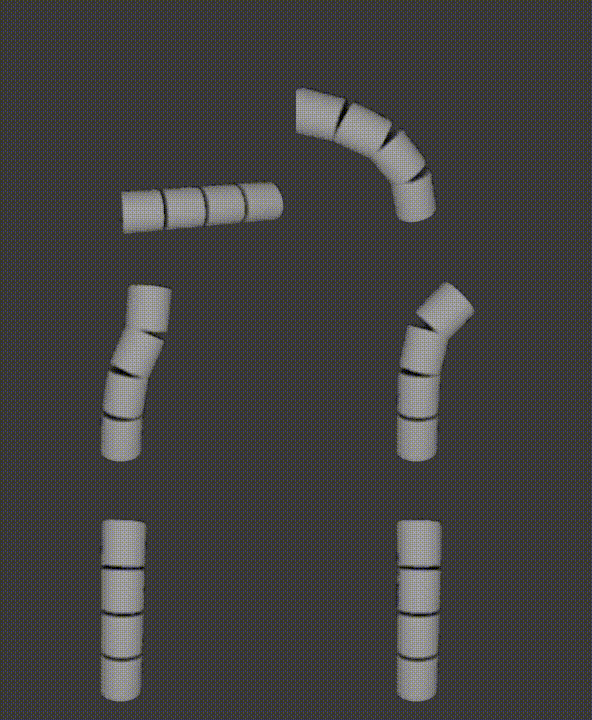 |
| Damp: 0.8 | 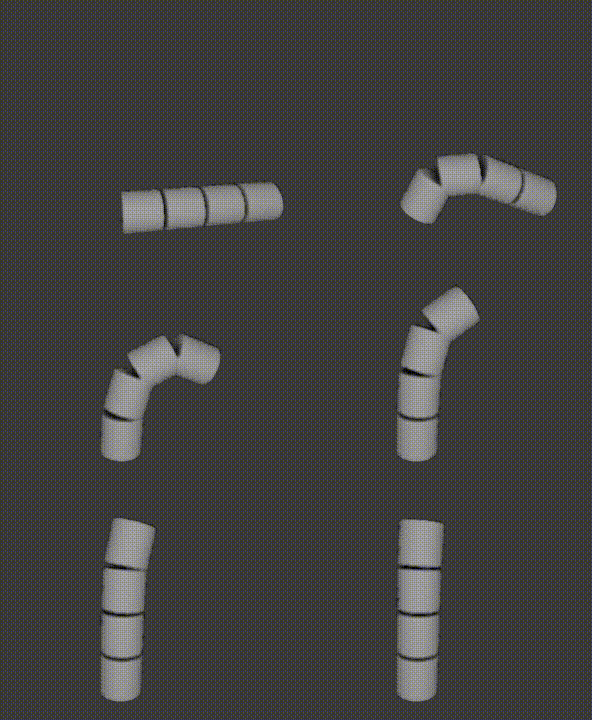 | 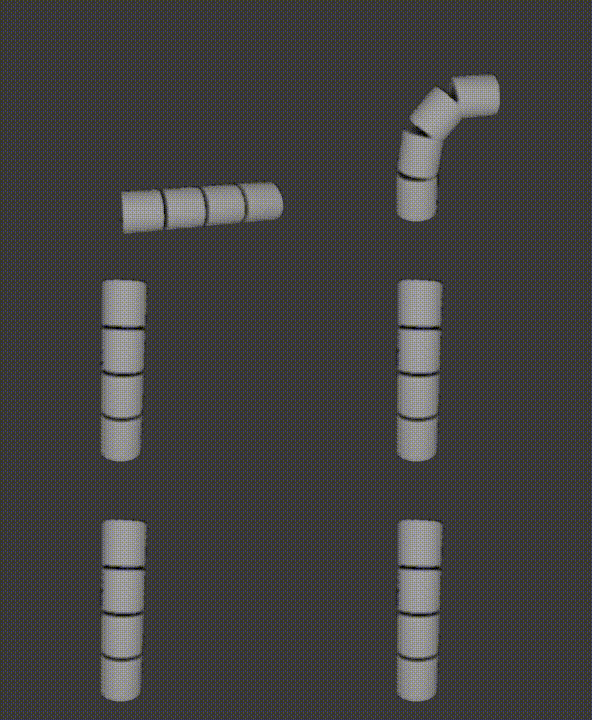 | 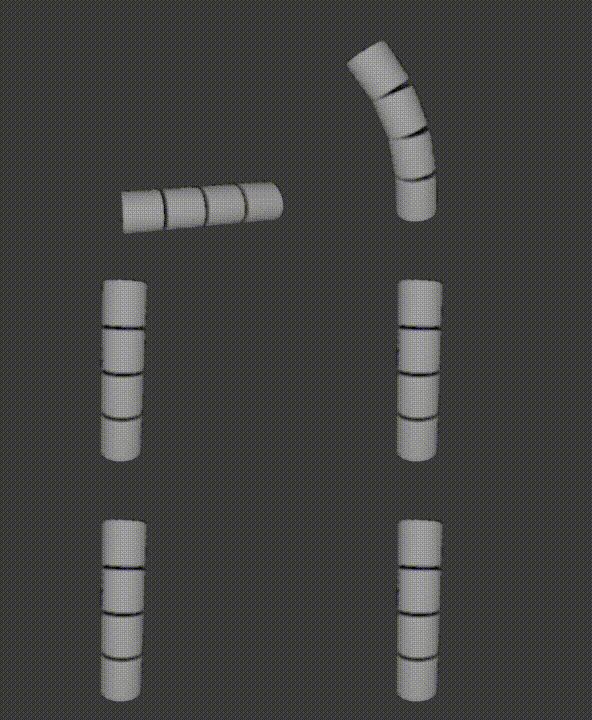 |